0
Flip Or Fail

Penalty Shooters 2

Super Liquid Soccer

Wheelie Party

Super Soccer Star 2

Basketball Tournament 3d

Hoop World 3d

Football Maniacs

Jelly Runner

Rebound Shooter

Funny Shooter
Rush Line

Street Rider

BMX Stunts 3D
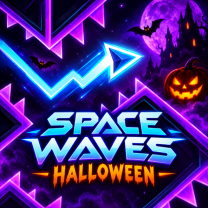
Space Waves Halloween
Doom Waves is an arcade platformer where you have to put your dexterity and skills to the test. The game is based on Wave gameplay, found in games such as Geometry Dash and Space Waves. The main protagonist is a little energy arrow that has to pass through a series of perilous halls filled with different traps. Making a mistake means losing the game.
In the game, you find yourself in a Marvel universe where the multiverse is on the verge of collapse, and at the same time, Doctor Doom is gaining power. The game has more than 150 stages that you can try. In addition to that, you can use the Endless and Race modes to get more challenges during the game.
Doom Waves is perfect for those gamers who prefer platformers where the main goal is to control the character with precision.
In Doom Waves, your foremost task is to skillfully maneuver your energy arrow from one level to another without colliding with barriers, hazards, and within the restrictions set forth by the game. The controls are easy to learn but require the player to use precise timing: in order to rise up, the player has to press and hold the control button; the release of the button makes the arrow descend.
Here are some tips that will help you improve your skills in the game:
PC Keyboard
Spacebar / W / Up Arrow: Press to move up – Release to move down.
Mouse
Left Click: Keep pressed to go up – Release to go down.
Mobile
Doom Waves features more than 150 levels, multiple game modes, and challenging wave movement sure to thrill any player interested in difficult arcade challenges. Concentrate on the game, hone your reflexes, and do your best to travel as far as possible in the collapsing multiverse without losing!